
Adobe Photoshop Is Now Inside ChatGPT
 By
By Share

Share
Get a quick blog summary with



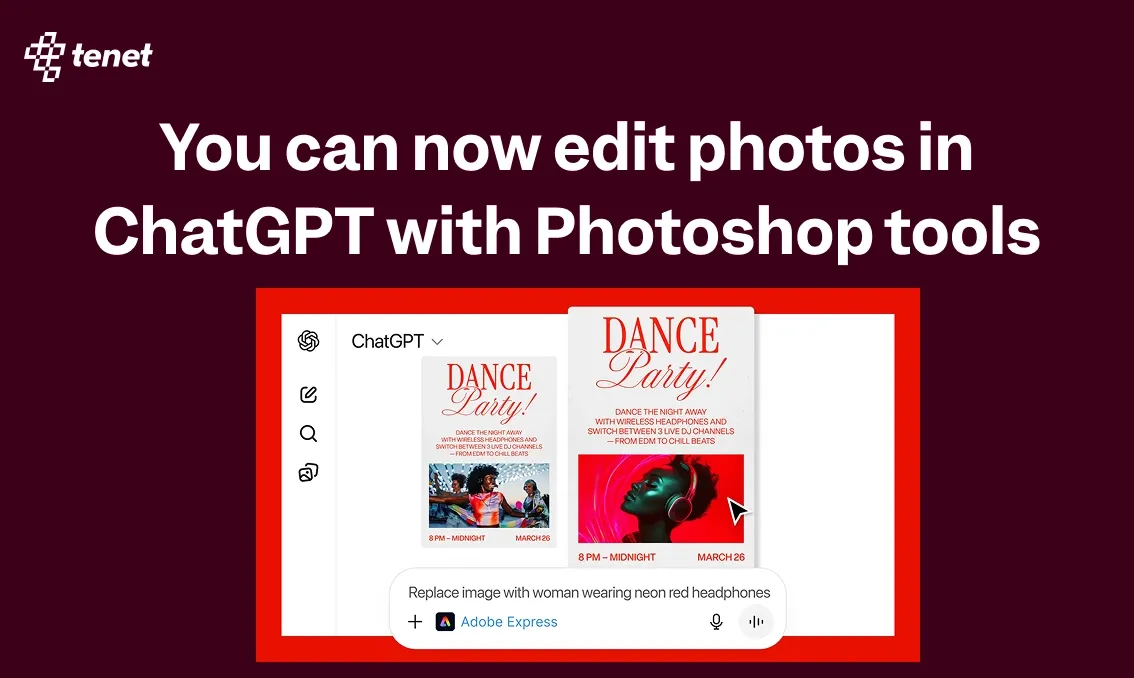
There is a new shift happening in the AI space. ChatGPT has now brought Adobe’s flagship tools like Photoshop, Express, and Acrobat directly into the chat experience. This means users can edit images, create designs, and work with documents by simply typing what they want to do.
For creatives, this changes how everyday work gets done. Tasks that earlier needed multiple tools and steps can now start from a single chat window. You can make quick image edits, generate design assets, or update PDFs without switching platforms.
This update is not just about Adobe. It signals a bigger move where ChatGPT is becoming a hub for many professional apps. As more tools get added, designers, product teams, and creators will start working in very different ways.
Let us dive deeper into what this update includes, how the Photoshop integration works inside ChatGPT, and what this shift means for creative workflows in the near future.
ChatGPT’s New “Apps” Ecosystem
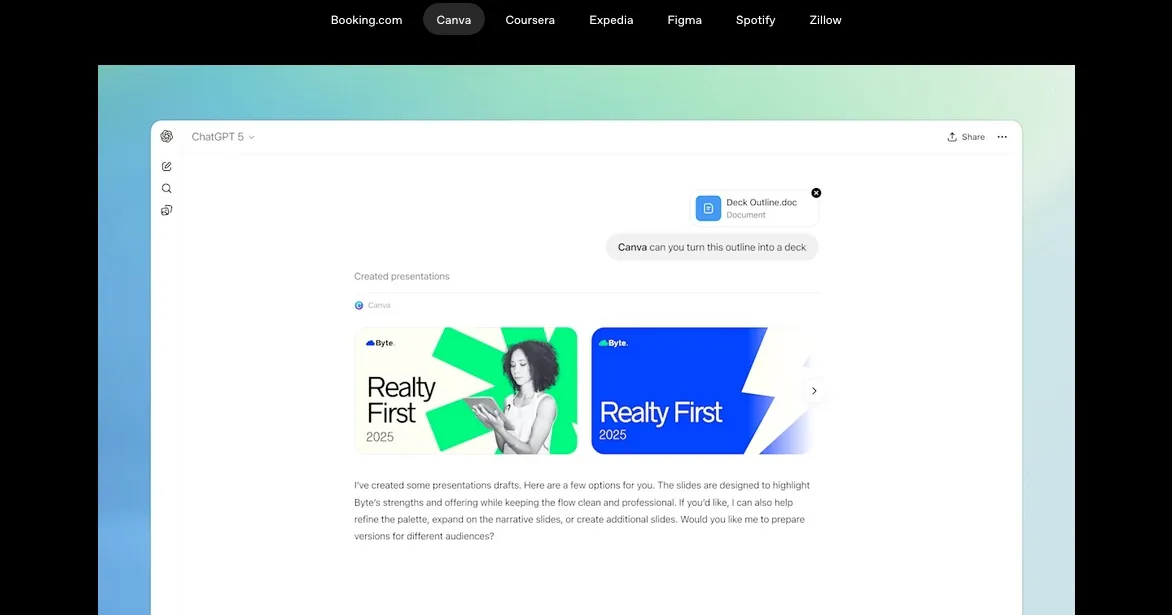
In October 2025, ChatGPT introduced a new apps ecosystem that allows third party tools to run directly inside the chat interface. In the beginning, apps like Canva, Figma, and other productivity tools were introduced as early partners to test how real work could happen inside ChatGPT.
The Adobe updates are a natural next step in this direction. By bringing tools like Photoshop, Express, and Acrobat into ChatGPT, OpenAI is clearly positioning chat as more than just a text based assistant.
As per OpenAI, these apps respond to natural language and include interactive elements that work inside the conversation itself. This means designers and creative teams can perform actions, make edits, and review outputs without switching between different tools or tabs.
For many users, this turns ChatGPT into a one stop workspace. Instead of jumping between design software, document tools, and communication platforms, core tasks can now start and move forward from a single chat window. This shift has direct implications for how creative workflows are structured going forward.
Adobe’s Creative Tools in ChatGPT
Adobe has a wide range of creative and productivity tools used by designers, marketers, and teams worldwide. For now, ChatGPT has integrated three of Adobe’s most widely used products. These tools cover image editing, graphic design, and document workflows. Below is what each integration brings in practical terms.
Adobe Photoshop in ChatGPT
Photoshop inside ChatGPT allows users to edit images using plain text instructions. You can remove or blur backgrounds, adjust lighting, fix colors, and apply visual effects without opening the Photoshop app. The edits happen directly inside the chat, making quick image changes faster and easier, especially during early design or content stages.
Adobe Express in ChatGPT
Adobe Express focuses on fast design creation. Inside ChatGPT, users can create social media creatives, posters, banners, and simple brand assets by describing what they need. You can edit text, visuals, layouts, and styles through follow up prompts. This is useful for quick marketing assets and early design drafts.
Adobe Acrobat in ChatGPT
Acrobat integration helps with everyday document tasks. Users can edit PDFs, merge files, remove pages, extract text, compress documents, and convert files to PDF format. These actions can be done by typing clear instructions, removing the need to open separate document tools for simple updates.
Together, these integrations cover a large part of daily creative and operational work. They reduce tool switching and make common tasks easier to start and complete from a single chat interface.
How to Use Adobe Apps in ChatGPT
Using Adobe apps inside ChatGPT is designed to be simple and direct. You do not need to install new software or learn a new interface. Everything works through clear text instructions inside the chat.
Step 1: Start with the Adobe app name
Begin your message by mentioning the tool you want to use. For example, you can type Adobe Photoshop and explain the edit you want to make, or Adobe Acrobat and describe the document task.
Step 2: Share a clear instruction
Describe exactly what you want to do. This could be editing an image, creating a design, or updating a PDF. The more specific the instruction, the better the output.
Step 3: Review the result inside the chat
ChatGPT will process the request and show the output or changes directly in the conversation. You can see previews, updated files, or design drafts without leaving the chat window.
Step 4: Refine with follow up prompts
If something needs adjustment, simply reply with the change you want. You can ask to tweak colors, modify text, or adjust layouts in the same conversation.
Step 5: Continue or export as needed
For basic tasks, the work can be completed entirely inside ChatGPT. If advanced editing is required, you can continue the work in the full Adobe app using the generated output.
This flow keeps the process fast and removes unnecessary steps from everyday creative work.
A UI UX Design Agency Perspective
For a UI UX design agency like Tenet, these updates are genuinely exciting. They show a clear shift in how creative and product work will be done in the coming years. AI is no longer just supporting design work. It is becoming part of the workflow itself.
Even a few days ago, ChatGPT invited developers to submit their own apps. That signals where this ecosystem is heading. More tools will move into chat based environments, and more everyday work will start from a single interface instead of multiple platforms.
From both a user perspective and as an agency serving global clients, it is clear that the design, creative, and technology fields are evolving fast. The way ideas are visualised, tested, and refined is changing, and agencies need to move with that change.
Our team has already started using these tools for quick iterations, early concepts, and internal workflows. While core design thinking and user experience strategy will always need human expertise, tools like ChatGPT with Adobe integrations help remove friction from execution.
This is not just an update. It is a sign of how future creative workflows will be built. And as an agency, we see ourselves as an active part of this shift, adapting early and building better experiences with the tools that shape tomorrow.
Expertise Delivered Straight to Your Inbox
Expertise Delivered Straight to Your Inbox




Got an idea on your mind?
We’d love to hear about your brand, your visions, current challenges, even if you’re not sure what your next step is.
Let’s talk


