
WooCommerce to Shopify Migration Guide (+ Checklist)
 By
By Share

Share
Get a quick blog summary with



Running an online store on an outdated or complex setup can slow down growth. Over time, many stores collect unused data, outdated plugins, and broken configurations that affect speed and user experience.
With Shopify, WooCommerce to Shopify Migration gives online store owners a managed system where hosting, security, and updates are handled for you. This reduces technical work and helps you focus on products, customers, and sales.
Instead of copying everything, a smart WooCommerce to Shopify Migration focuses on moving only what adds value. This helps you improve performance, simplify operations, and build a more stable online store for long-term growth.
In this guide, you will learn how to plan, execute, and complete a WooCommerce to Shopify Migration without losing data, customers, or SEO.
Why Businesses Migrate from WooCommerce to Shopify?
WooCommerce is a capable platform. It runs on WordPress and gives store owners real control over how their site is built and managed. That flexibility is also part of the challenge.
WooCommerce requires you to manage your own hosting, handle software updates, maintain plugin compatibility, and deal with security patches. For store owners who enjoy that level of involvement, it works well. For many others, it becomes a distraction from running the actual business.
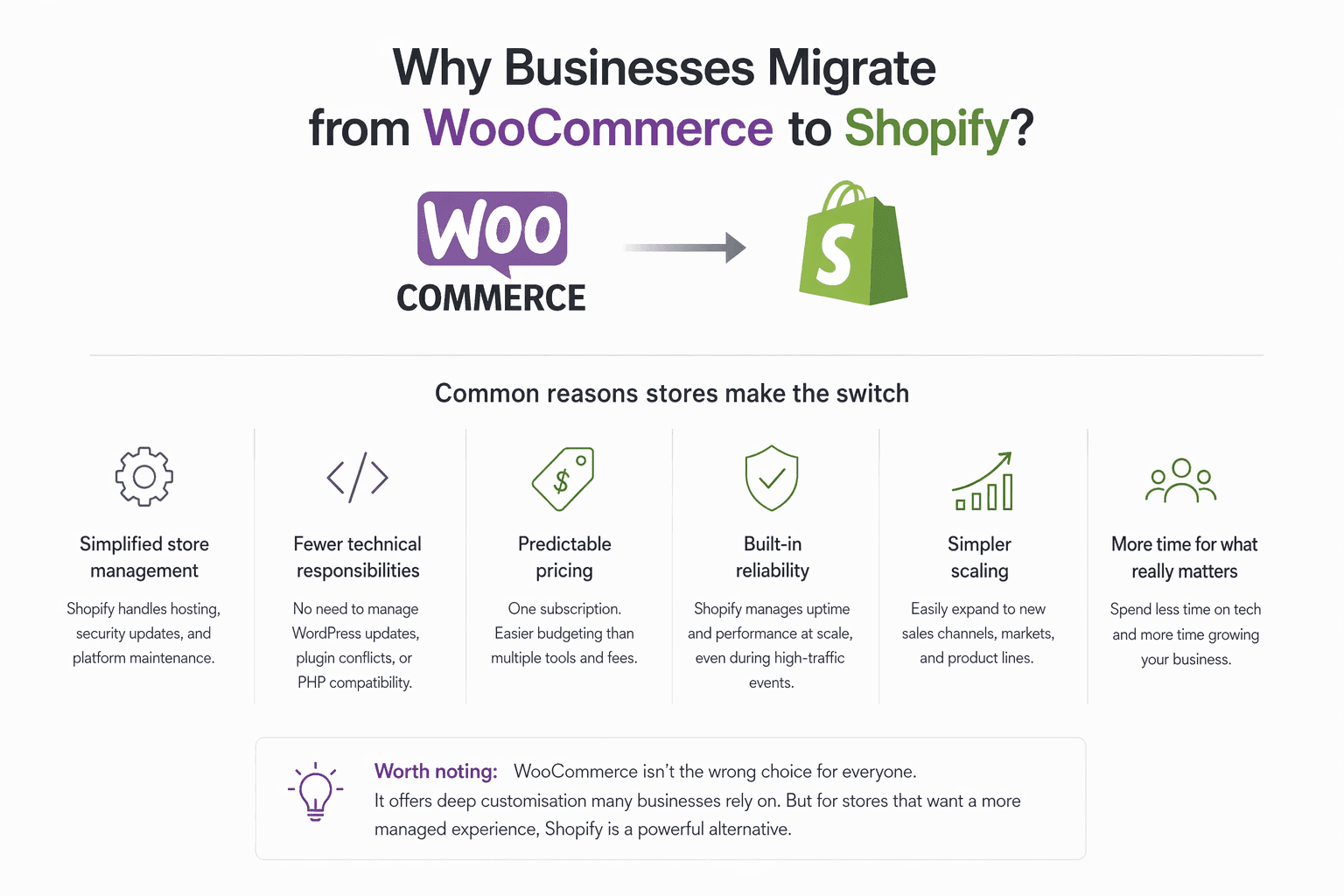
Common reasons stores make the switch
- Simplified store management. Shopify handles hosting, security updates, and platform maintenance. Store owners focus on products and customers instead of server issues.
- Fewer technical responsibilities. No need to manage WordPress core updates, plugin conflicts, or PHP version compatibility.
- Predictable pricing. Shopify uses a subscription model. You know what you are paying each month, which makes budgeting easier than managing hosting, premium plugins, and maintenance costs separately.
- Built-in reliability. Shopify manages uptime and performance at scale. During high-traffic events like sales or product launches, you are less likely to encounter server problems.
- Simpler scaling. Adding new sales channels, markets, or product lines is generally more straightforward on Shopify.
💡 None of this means WooCommerce is the wrong choice for everyone. Some businesses genuinely benefit from the customisation it allows. But for stores that want a more managed experience, Shopify is a reasonable alternative.
Here’s a quick snapshot of what drives the shift from WooCommerce to Shopify.
👉 Need help migrating or designing your online store? Get your free consultation here:
WooCommerce vs Shopify: Key Differences as an online store CMS
Before starting a migration, it helps to understand how these two platforms differ. Knowing what changes and what stays the same will make the transition easier to plan.
What to Prepare Before Starting the Migration
Before you touch a single record, you must execute these four phases of preparation to ensure your systems remain fast, reliable, and visible.
1. Data Inventory and Integrity Audit
Before moving data, you must understand its structure and quality. Use automated profiling tools to identify inconsistencies that will cause "Load" errors in the target system.
- Schema Validation: Compare the source and target schemas. Identify where data types differ (e.g., a source field using VARCHAR moving to a target field requiring JSON) and write transformation scripts to bridge the gap.
- The ROT Purge: Eliminate Redundant, Obsolete, and Trivial data. This reduces the Total Cost of Ownership (TCO) in the new environment and shortens the migration window by reducing the volume of bits to be transferred.
- Data Cleansing: Standardize naming conventions and formats (dates, currencies, addresses). It is five times more expensive to fix data errors after they have been indexed in the new system.
👉 For a structured, checklist‑driven approach to planning your move, see Tenet’s Website Migration Cost in 2026 (+ Downloadable Checklist).
2. Technical Dependency Mapping
You must map the "connective tissue" of your infrastructure. If a legacy application relies on a specific local port or a fixed IP address, moving it to a cloud environment will cause an immediate outage.
- Network Mapping: Trace all inbound and outbound traffic. Document every API endpoint, firewall rule, and DNS entry associated with the system.
- Third-Party Integrations: List every external service (SaaS platforms, payment gateways, CRM syncs) that authenticates with your current database. You will need to rotate these credentials or update authorized IP whitelists immediately upon migration.
- Latent Dependencies: Identify background tasks like nightly CRON jobs, automated backups, and reporting scripts that often get overlooked during high-level planning.
3. Migration Methodology Selection
The choice between speed and uptime depends on your organization's "Recovery Time Objective" (RTO).
- Offline Migration (Big Bang): All services are suspended while data moves. This is preferred for smaller databases where the transfer can be completed within a standard maintenance window (e.g., 2:00 AM to 5:00 AM).
- Online/Live Migration (CDC): Uses Change Data Capture to sync the new system with the old system in real-time. This allows for near-zero downtime, as you only "flip the switch" once both databases are identical.
4. Rollback and Recovery Documentation
A migration is not "finished" until the data is verified. You need a pre-authorized plan to revert the move if performance metrics are not met.
- The "Go/No-Go" Milestone: Set a specific timestamp (e.g., four hours before the start of the business day) where the team must decide to either commit to the new system or initiate the rollback.
- Data Parity Checks: Use checksums or record counts to ensure that every row of data that left the source arrived intact at the destination.
- The Cold Standby: Keep the original source environment in a "read-only" state for at least 72 hours after the migration. Do not decommission the old hardware until you have completed a full business cycle in the new environment.
WooCommerce to Shopify Migration Process
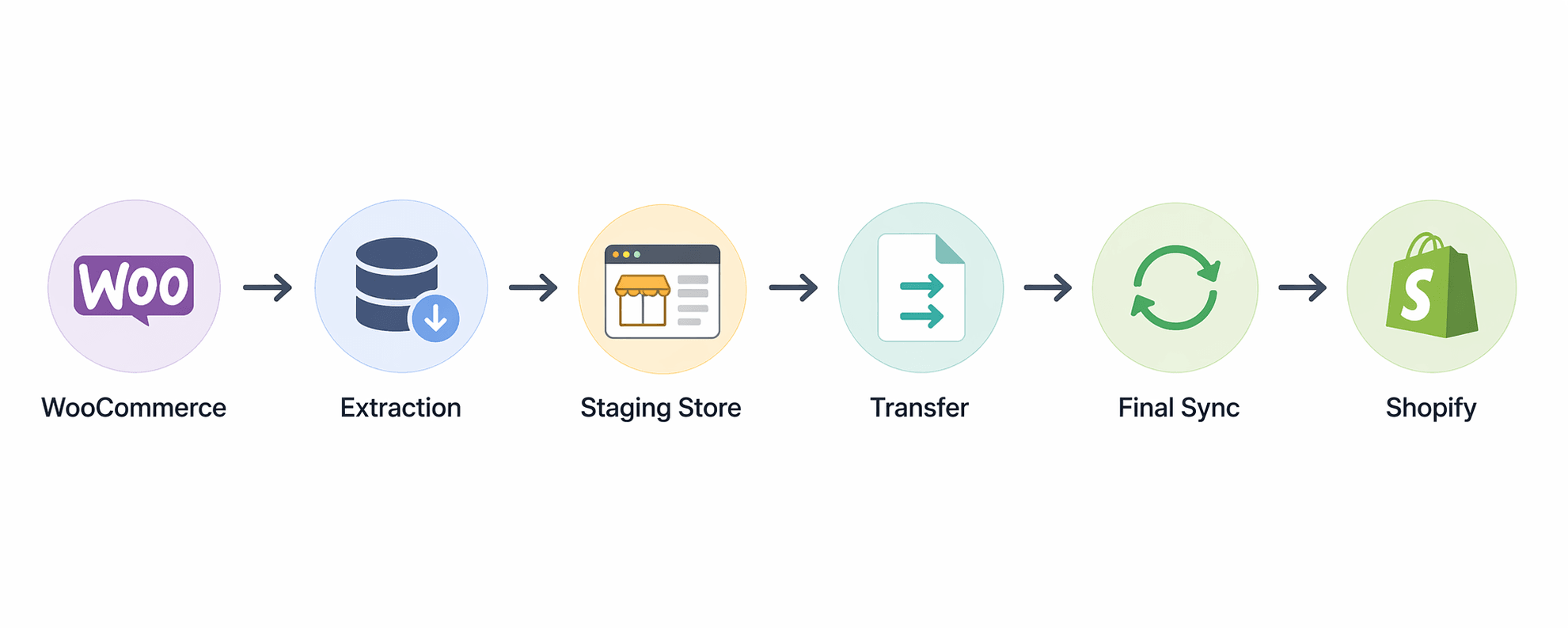
The process is more than a data export; it is a structural realignment. Shopify’s database handles attributes (like product variants and customer tags) differently from WordPress, necessitating a three-stage execution.
A simplified view of how a WooCommerce store transitions into a fully functional Shopify setup.
1. Data Extraction and Field Mapping
The migration begins by pulling your core assets from the WooCommerce SQL database. Because WooCommerce allows for infinite custom fields through plugins, you must first identify which data points are essential and where they will live in Shopify’s more rigid structure.
Below are the three main categories you’ll need to map:
- Product Catalog: Map your titles, descriptions, and SKUs. Pay close attention to Variants; Shopify has a limit of 100 variants and 3 options per product, so complex WooCommerce configurations may require "bundling" apps to bridge the gap.
- Customer Records: Export your customer list, including names, emails, and physical addresses. Note that for security reasons, passwords cannot be migrated. You will need a plan to invite customers to activate their accounts and set new passwords on the new site.
- Historical Orders: Moving order history is vital for customer service and loyalty programs. Ensure that order statuses (Fulfilled, Refunded, Pending) are mapped correctly to Shopify’s native fulfillment states.
2. The Sandbox Configuration (The Staging Build)
If you import your data into a live, unconfigured Shopify store, you will end up with broken layouts, missing payment methods, and confused customers.
That is why you first build a hidden staging version of your new store.
Get these three pieces right before you bring any data over:
- Theme and front-end: WooCommerce themes (PHP/CSS) will not work on Shopify (Liquid). You will need to rebuild the front-end manually. Prioritize matching your brand's look and feel while using Shopify's faster, mobile-friendly checkout.
- App integration: Find which WooCommerce plugins you currently rely on (for subscriptions, advanced shipping, etc.) and locate their Shopify equivalents. Keep the number of apps low so your site stays fast.
- Payment and tax rules: Set up Shopify Payments and define your tax zones. Shopify makes this simpler than WooCommerce, but you may still need manual overrides for specific international tax rules.
3. Data Transfer and Link Preservation
Moving your products and customers is only half the job. The real risk is losing the search rankings and backlinks your old WooCommerce store built up over the years.
That is why you must preserve every URL and every SEO field during the transfer. Here is what that requires:
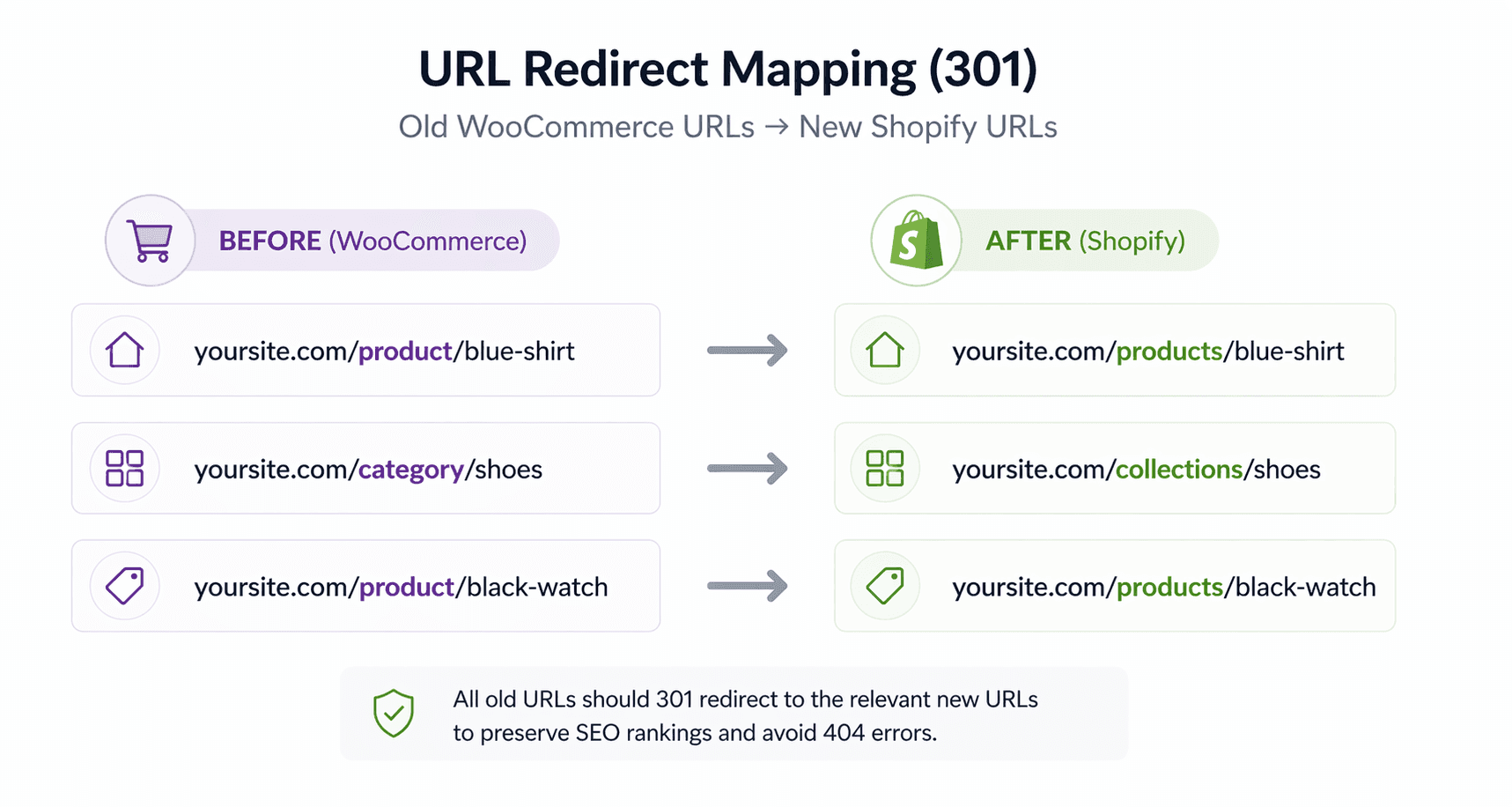
- URL redirect mapping: This protects your search rankings. WooCommerce typically uses /product/ in URLs, while Shopify uses /products/. Create a 301 redirect map for every single URL so old links lead to the correct new pages instead of 404 errors.
This visual demonstrates how old URLs are redirected to their new Shopify equivalents.
- Meta tag migration: Carry over your SEO titles and meta descriptions. Shopify has native fields for these, but you must populate them during the import process, or you will lose organic visibility.
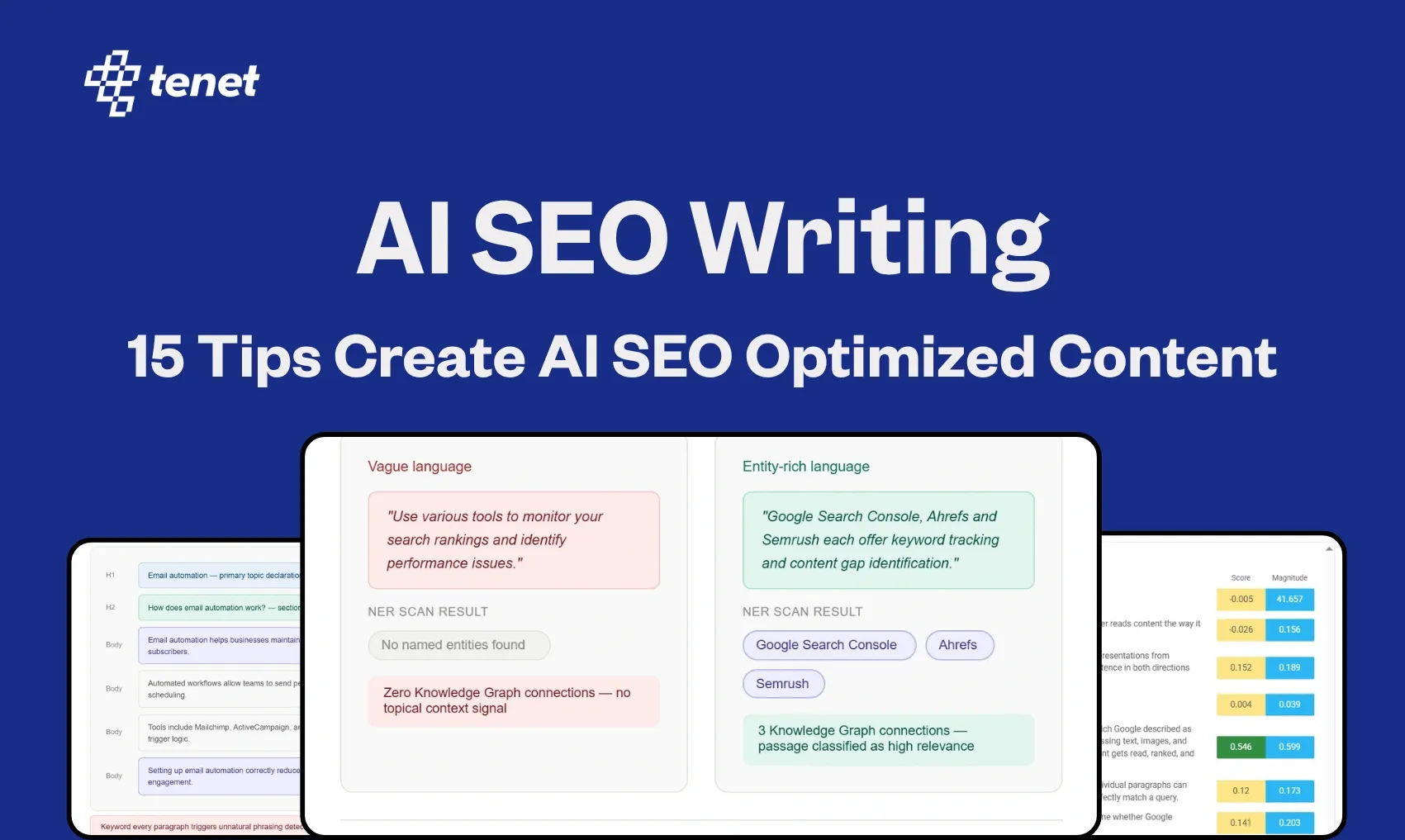
👉 For a detailed guide on how to protect your traffic and rankings during any platform move, check out 15 Tips to Create AI SEO Optimized Content, which covers best practices for content and SEO during and after migration.
4. The Final Sync and Launch
By the time you finish building your staging store and transferring data, your old WooCommerce site may have already taken new orders or gained new customers. If you simply cut over without checking, those recent changes will be lost.
That is why you run a final delta sync just before the domain switch:
- The delta import: Just before pointing your domain to Shopify, export any new orders or customers that were added to the WooCommerce site while you were building the staging store.
- DNS switch: Update your domain's A-records and CNAME records to point to Shopify's servers.
- Post-launch checks: Right after the site goes live, test the whole purchase process from adding an item to the cart through to processing a refund. This confirms that your new front-end and payment processor work together without errors.
Common WooCommerce to Shopify Migration Challenges
The Schema Mismatch and Variant Limits
One of the most significant hurdles is the discrepancy in how each platform handles product complexity.
WooCommerce offers near-infinite flexibility through custom code, allowing for hundreds of variations per product. Conversely, Shopify enforces a strict 100-variant limit and a maximum of three options (e.g., Size, Color, Material).
If your source data exceeds these thresholds, the migration will fail to import the complete product set. You must either restructure your catalog into separate listings or utilize third-party apps to bypass these native constraints before the transfer begins.
Encrypted Data and Password Security
Data security protocols present a permanent barrier to a "total" migration. Because WooCommerce and Shopify use different encryption algorithms to protect sensitive user information, you cannot migrate customer passwords.
When the new store goes live, your entire existing customer base will technically be locked out of their accounts.
Broken Backlinks and Search Ranking Loss
A migration is often a destructive event for organic search rankings if not managed with technical precision. Every URL on your site is a gateway for "link juice" and domain authority.
Because the two platforms use different URL structures ( like WooCommerce typically uses /product/ while Shopify mandates /products/ ), every legacy link will return a 404 error unless redirected.
Failure to implement a comprehensive 301 redirect map will lead to a rapid decline in search engine visibility and the loss of hard-earned backlinks from external sites.
The "Plugin vs. App" Feature Gap
The transition from a plugin-based architecture to an app-based ecosystem often reveals a significant feature gap.
Many custom functions in WooCommerce are handled by local PHP scripts or free community plugins that do not have a direct, one-to-one equivalent in Shopify.
During the planning phase, you must audit every "must-have" feature (such as custom shipping logic, membership tiers, or complex discount rules) and identify their Shopify App counterparts.
This transition often results in increased monthly overhead costs and requires a fresh evaluation of site performance.
Data Integrity During the "Delta" Period
The "Delta" period refers to the time elapsed between your initial data export and the final site launch. While your team is building and testing the Shopify store, your WooCommerce site continues to generate new orders and register new customers.
If you simply point your domain to the new server without a final sync, you will lose every transaction and user profile created during that window.
Ensuring data integrity requires a final, incremental import just hours before the DNS cutover to capture the most recent activity.
How to migrate your WooCommerce website without losing SEO?
The following checklist separates the work into two phases: what you do before moving to Shopify, and what you do after launch to stabilise and recover.
Pre‑Migration Tasks (Do These Before You Move)
1. Take a full backup of your WordPress site.
Before anything else, create a complete backup of all pages, posts, media files, URL slugs, meta titles, and meta descriptions.
2. Keep the old WordPress site as a reference.
Your new Shopify store will not match the old site perfectly on day one. Keep the current WordPress site accessible on a staging domain or a separate subdomain. Use it to compare page structure, content layout, SEO fields, and internal linking while you rebuild.
3. Create a complete URL mapping sheet.
List every current WordPress URL and its matching Shopify URL, even for pages that are not yet live. This sheet is your master map for setting up redirects, avoiding broken links, and telling search engines where each page has moved.
4. Identify your priority pages.
Not every page needs to be migrated at the same time. Mark your most important pages (homepage, main category pages, top product pages) and make sure they are live on Shopify from the first day.
5. Start moving blog articles onto Shopify early.
If you have many blog posts, begin copying them to Shopify one by one before the actual migration. Moving them afterwards takes too long, and valuable content may stay offline for weeks.
Post‑Migration Tasks (Do These After Launch)
1. Set up 301 redirects correctly.
This is the single most important step for protecting your SEO. Make sure every important WordPress URL redirects to the correct Shopify URL using permanent 301 redirects. No page should return a 404 error unless you intentionally removed it.
2. Align Shopify page content with WordPress gradually.
Use your old WordPress reference site to slowly update Shopify pages. Match the original content structure, headings, internal links, and key sections. This can be done over several days without rushing.
3. Check indexing and coverage in Google Search Console.
Once the migration is complete, submit your Shopify sitemap to Google Search Console. Monitor which pages are indexed, which are excluded, and any crawl errors. This helps you catch problems early.
4. Fix missing pages or content gaps.
If any WordPress pages are not yet available on Shopify, either recreate them or redirect them to the most relevant live page. Do not leave valuable URLs inactive for too long.
5. Perform a post‑launch technical audit.
Review the new site for missing meta tags, broken internal links, incorrect favicon display, and any page titles that need cleaning up.
Also, add a noindex robots tag to the old WordPress site (or its staging copy) so search engines do not index both versions.
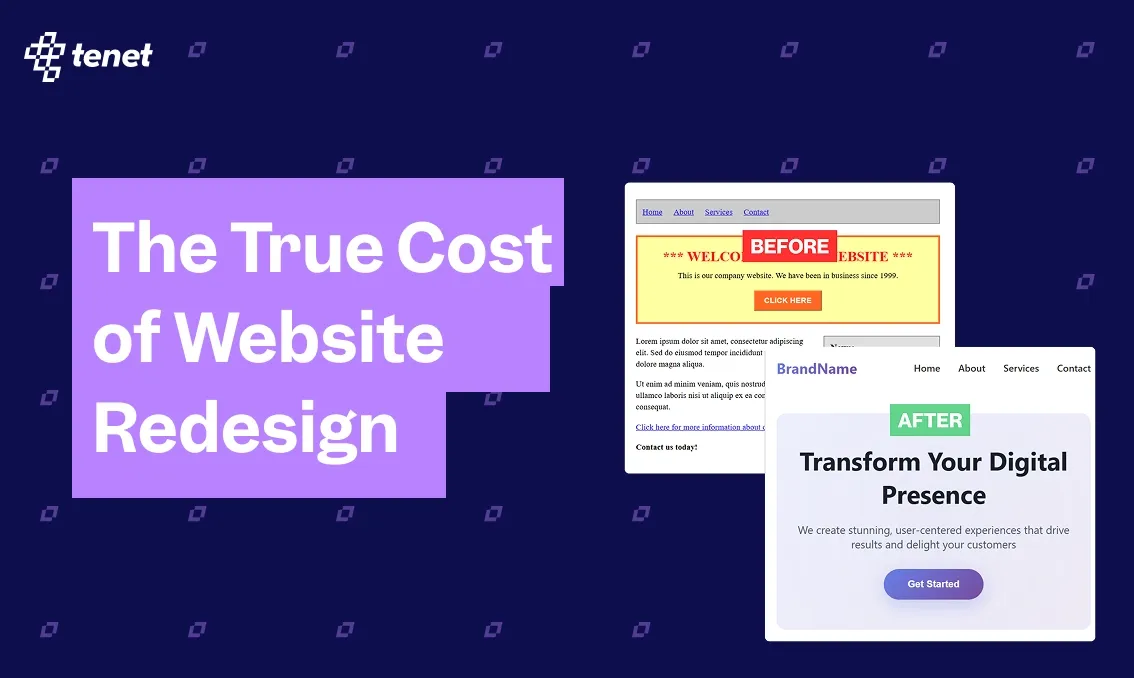
How much does it cost to migrate your WooCommerce site to Shopify
The cost to migrate a WooCommerce site to Shopify in 2026 typically ranges from $500 to $15,000+ for most small-to-medium businesses.
Cost Breakdown by Approach:
- DIY (Manual/CSV): Primarily costs your time (40–80+ hours), with minimal software expenses under $500.
- Automated Apps: Tools like Cart2Cart or LitExtension generally cost $50 to $500, depending on the volume of products, customers, and orders.
- Professional Services: Hiring a freelancer or agency starts around $1,500 for basic setups and can exceed $15,000 for complex enterprise migrations requiring custom development or SEO preservation.
Hidden & Ongoing Costs:
- SEO Preservation: Mapping 301 redirects to protect rankings typically costs $300 to $1,500.
- Recurring Fees: Expect Shopify platform fees starting at $39/month plus $150–$300/month for essential apps.
How Tenet Assists with Migration
We do not simply move your data from point A to point B. We help brands transition to Shopify from a wide range of platforms, including WooCommerce, Magento, BigCommerce, Shopify (for redesigns), and even custom-built solutions.
Our focus is on preserving your search rankings, customer history, and site structure. Our migration process is built around three core principles: zero downtime, complete SEO protection, and a clean, error‑free launch.
Here is how Tenet delivers on those principles:
- Platform-agnostic data mapping: Whether your store runs on WooCommerce, Magento, or a custom PHP system, we extract products, customers, orders, and reviews, then map them accurately into Shopify's structure.
We handle edge cases like variant limits, custom fields, and nested product options.
- SEO-first redirect strategy: Search traffic is often your most valuable asset. We build a complete 301 redirect map for every URL on your old site.
This ensures that backlinks, social media posts, and Google results all land on the correct Shopify page, with no 404 errors and no ranking drop.
- Staging store with client review: Before anything goes live, we build a hidden staging store. You get to review the migrated data, test the theme, and approve the setup. This eliminates surprises on launch day.
- Delta sync and post-launch validation: Just before the domain switch, we run a final delta sync to capture any new orders or customers from your old site. After launch, we validate the entire checkout loop, from cart to confirmation.
If you are currently on WooCommerce, Magento, or another platform and want to see how a migration would look for your store, reach out to our team. We will map out the steps before you commit to anything.
Talk to our team and get a structured migration plan tailored to your store.
Talk to our team and get a structured migration plan tailored to your store.



















Got an idea on your mind?
We’d love to hear about your brand, your visions, current challenges, even if you’re not sure what your next step is.
Let’s talk


