
Gemini Can Now Use Mac Apps in a Separate Background Window
 By
Share

Share
Get a quick blog summary with



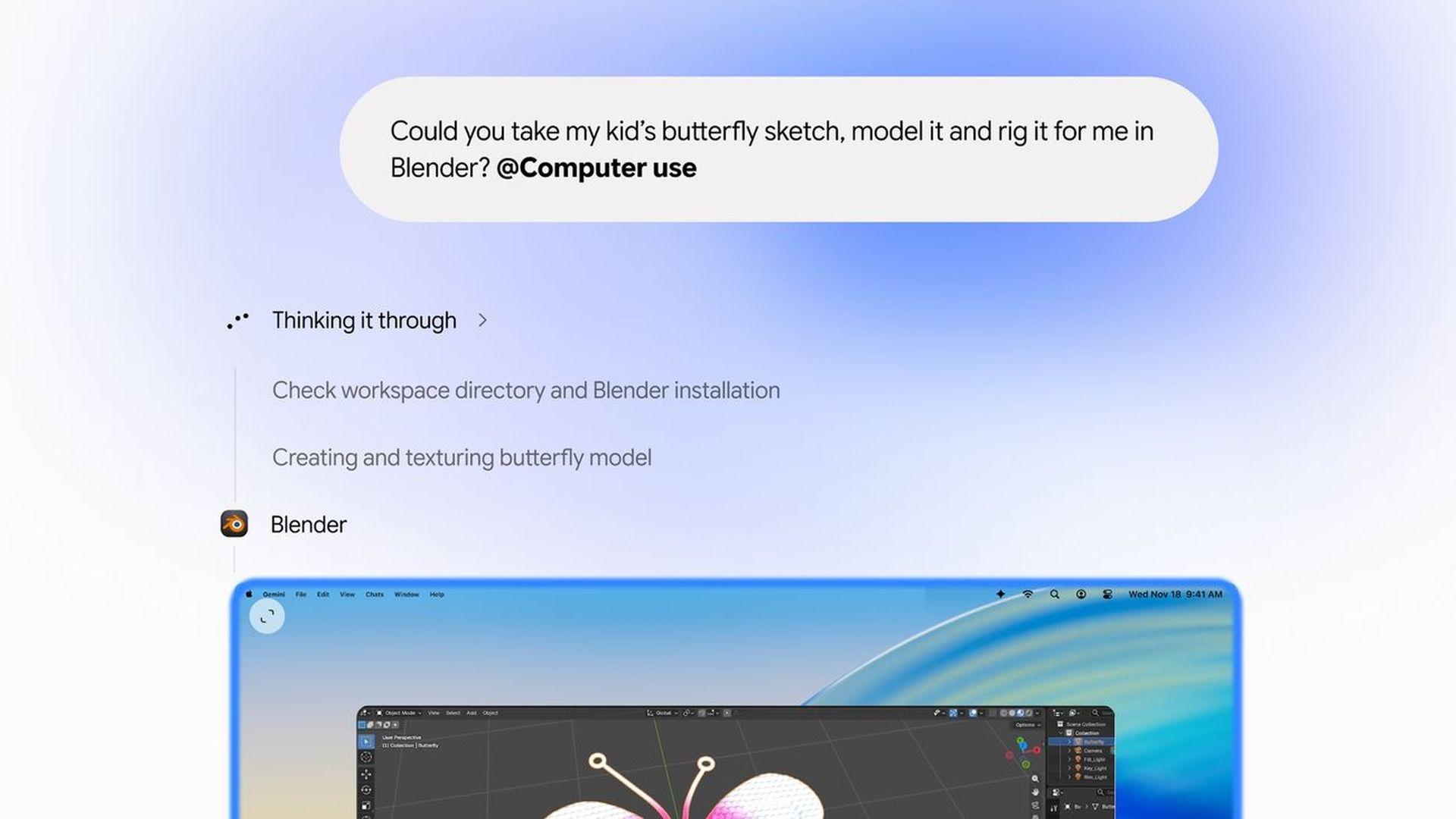
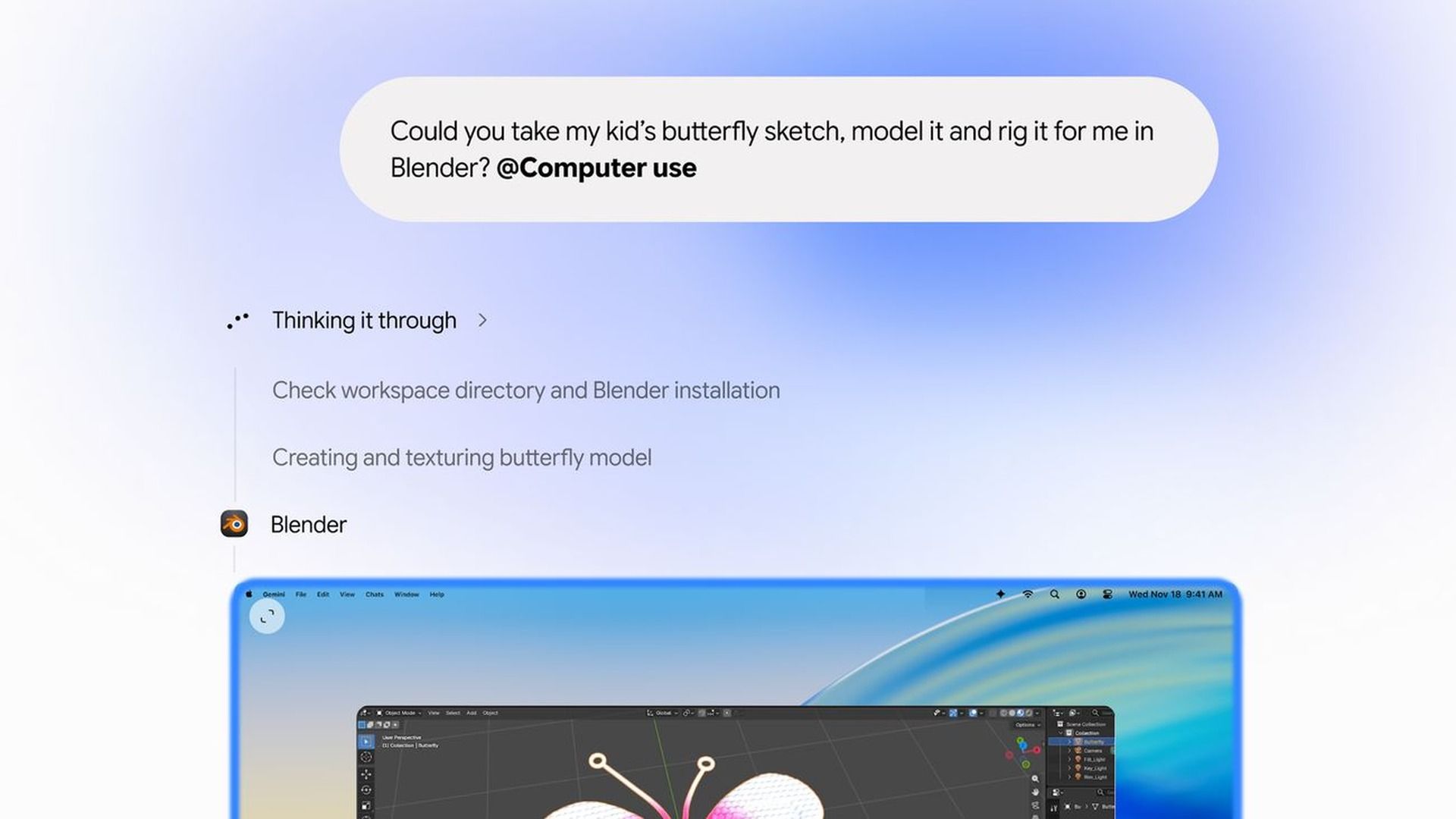
Google has given Gemini a pair of hands on the Mac. On 19 November 2026, the company rolled out computer use in the Gemini app for Mac, a mode that lets the assistant click, type, open menus and fill in forms across local apps and websites, all inside a separate background window while the owner keeps working.
The design choice is the story. Instead of taking over the cursor, Gemini works in an isolated window with a live preview streamed into the chat, so the screen stays free. The owner picks which apps Gemini may touch, watches every step, and can pause the task at any point.
For now the rollout is narrow: US English, Apple Silicon Macs, and the paid Google AI Plus, Pro and Ultra plans. But the direction is clear, and it is the same direction the whole industry is moving. Here is what Gemini can do on a Mac, what it cannot do yet, and what it means for companies that want to grow with the latest tech.
What Google launched
Computer use in the Gemini app for Mac started rolling out on 19 November 2026. It turns Gemini from a chat window into an agent that can operate the computer, navigating local files, desktop apps and websites to finish multi-step tasks. Google announced it on its blog, with Michael Friedman, Group Product Manager for the Gemini app, describing it in plain terms: just describe what you need, and Gemini handles the clicking, typing, menus and forms for you. You can read Google's announcement for the full details.
Until now, the Mac app's Task mode could read local files and work with connected Google services such as Gmail and Calendar, but it could not operate other desktop software. Computer use closes that gap. Gemini can now open an app, move through its menus, type into its fields, and carry information between a local file and a website, without the owner touching the mouse.
How the background window works
Gemini does the work in an isolated background window, with a live preview right in the chat. The owner's main screen and cursor stay completely free, so they can type an email, take a call, or keep designing while the agent works beside them. The preview can be expanded to full screen to watch each step as it lands, and the task can be stopped at any point with one click.
This is the detail that matters most. Earlier computer use tools took over the visible cursor, which meant the owner had to hand the machine over for the duration of the task. Google's version runs the work on a separate virtual screen instead, so the human and the agent can work at the same time. That is a design pattern other agent builders are likely to copy.
What Gemini can do on a Mac
Google's examples show the range. Gemini can batch colour grade photos in design software, set up complex 3D scenes, pull weights, dimensions and addresses out of local PDFs to fill multi-box shipping quotes, and build presentations from a brief. In daily use that means jobs such as copying figures from a PDF into a spreadsheet, filling a booking form on a website, or working through settings in a desktop app.
The app also gains new Desktop connectors. Blender and Autodesk Fusion join the existing Git and Obsidian integrations, so Gemini can work inside creative and development tools, not just browsers and office apps. To start a job, the owner picks Task under the chat box and adds @Computer use to the prompt.
The controls Google built in
Google has put the controls in the owner's hands. The owner chooses which apps Gemini can access, watches every step live, can pause at any time, and approves key actions before they happen. Gemini stops by itself at logins, payments and actions Google classes as sensitive, rather than pushing through them.
Two macOS permissions come first, and both are the same gates Apple uses for every app that views or controls the screen. Accessibility allows an app to press buttons and type on the owner's behalf, while Screen and System Audio Recording allows it to see what is on the display, so Gemini can locate a button before it clicks. Both are granted in System Settings, and the owner can take them away at any time.
What it does not do yet
The rollout is narrow at launch. Computer use is rolling out in English in the United States only, and only for subscribers to Google AI Plus, Pro and Ultra. It needs an Apple Silicon Mac running macOS Sequoia 15.0 or later, and a personal Google account held by someone aged 18 or over. Intel Macs and users outside the US are outside this release, and Google has given no date for a wider rollout.
There are limits on what Google has said, too. The announcement gives no benchmarks, success rates or task completion times, and it does not say which Gemini model powers computer use. Google also warns that untrusted content on screen can steer the agent, and that giving it code editors or developer tools can enable wider access to the machine, so the app list deserves a careful choice.
What this means for businesses, and how Tenet helps
For a business, the question is no longer whether AI will touch its workflows, but how fast it can adapt to agents that do real work. The winners will be the companies whose websites, apps and content are built for this new layer: products that are easy for people to use and easy for agents to operate, and content that AI assistants can find, trust and recommend.
That is the work Tenet does. We help companies grow using the latest tech across design, development and growth. In design, we build interfaces that are clear for humans and legible for agents. In development, we build mobile apps and web platforms that work with automation and AI, not against it. And in growth, our AI SEO services make sure a business is found and recommended inside AI answers, in ChatGPT, Gemini and beyond. If you want your product ready for the agent era, talk to us.
Frequently asked questions
When did Google launch computer use for Gemini on Mac?
Google began rolling it out on 19 November 2026, in the Gemini app for Mac. The announcement is on Google's blog.
Who can use Gemini computer use on Mac?
At launch it is limited to US English, on an Apple Silicon Mac running macOS Sequoia 15.0 or later, with a personal Google account held by someone aged 18 or over, and a Google AI Plus, Pro or Ultra subscription. Google has given no date for other countries or platforms.
Does Gemini take over my screen while it works?
No. Gemini works in an isolated background window with a live preview in the chat, so the owner's main screen and cursor stay free. The owner can watch every step, expand the preview to full screen, and stop the task at any point.
What can Gemini do on a Mac?
It can click, type, open menus and fill forms across local files, desktop apps and websites to finish multi-step tasks. Google's examples include batch colour grading photos, setting up 3D scenes in Blender or Autodesk Fusion, filling shipping quotes from local PDFs, and building presentations.
Is Gemini computer use safe?
The owner chooses which apps Gemini can access, and two macOS permissions, Accessibility and Screen and System Audio Recording, gate what it can see and do. Gemini stops by itself at logins, payments and sensitive actions and asks for approval first. Google warns that untrusted on-screen content can steer the agent, so the app list should be chosen carefully.
Expertise Delivered Straight to Your Inbox
Expertise Delivered Straight to Your Inbox





Got an idea on your mind?
We’d love to hear about your brand, your visions, current challenges, even if you’re not sure what your next step is.
Let’s talk


